




Creating Career Path...

Finding Further Careers...

CAD Technician

View this career for different education levels:

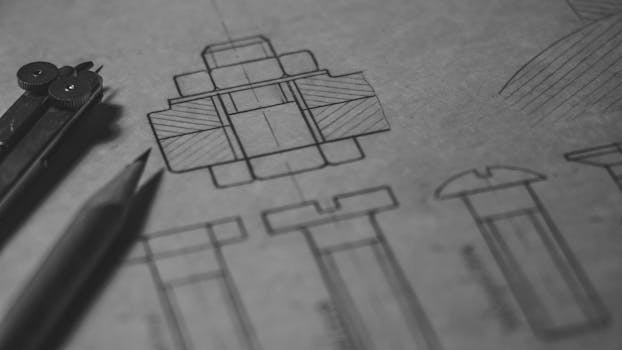
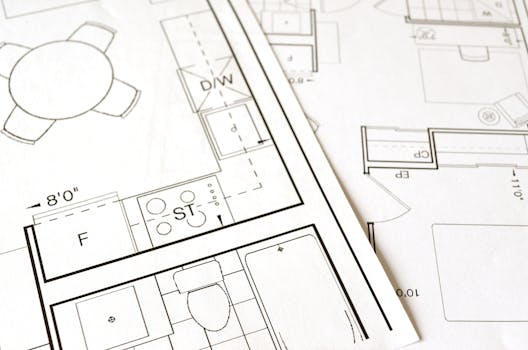
Imagine you want to build a fantastic new school or a super-fast train line. Before anyone starts digging or laying bricks, someone needs to draw it all out very carefully! A CAD Technician is like a special artist who uses computers instead of pencils and paper to draw plans for buildings, roads, machines, and lots of other cool things. CAD stands for Computer Aided Design, which just means using computers to help with drawing and making designs. These drawings are very important because they show exactly where everything should go and how it should be built. CAD Technicians make sure all the measurements are perfect and that the builders know exactly what to do. They work with engineers and architects to turn their ideas into detailed digital drawings that everyone can understand and use. Its a bit like building with digital LEGO blocks, but much more precise!

CAD Technician

Flag Media

Please select a reason for flagging this content.

📊 Statistics

Starting Salary

A new CAD Technician in the UK might start with a salary around 20,000 to 25,000 pounds per year.

Experienced Salary

With more experience, a CAD Technician can earn between 30,000 and 45,000 pounds per year. Some senior roles can be even higher.

Job Openings

There are usually many job openings for CAD Technicians across the UK, especially in big cities and areas with lots of building projects. It is a popular job that many companies need help with.

🚀 Careers in this path

Flag Media

Please select a reason for flagging this content.

Lego Modeller

Imagine you're designing a new Lego set! A Lego Modeller uses their imagination and Lego bricks to build models of buildings, vehicles, and all sorts of things, just like an architect or engineer would design them, but with colourful blocks!

Flag Media

Please select a reason for flagging this content.

Minecraft World Builder

Have you ever created amazing things in Minecraft? A Minecraft World Builder uses their computer to design and construct entire worlds, with houses, bridges, parks, and secret passages, just like a CAD Technician designs real places.

Flag Media

Please select a reason for flagging this content.

Theme Park Ride Designer

Think about your favourite roller coaster! A Theme Park Ride Designer draws and plans exciting new rides for theme parks, making sure they are fun and safe, just like a CAD Technician draws detailed plans for new buildings or machines.

Learning About Shapes and Computers

Drawing Fun Shapes

Start by drawing different shapes like squares, circles, and triangles. You can use paper and pencils or even drawing apps on a tablet.

Practising drawing by hand helps you understand how shapes fit together and how to make things look correct. You can try drawing your favourite toys or animals using basic shapes. Look around your house and try to draw the furniture or even your pets!

Playing with Building Blocks

Use LEGO bricks, magnetic tiles, or other building toys to create models. This helps you think about how things are put together.

Building toys are super helpful for understanding 3D shapes and how different parts connect. When you build a house with LEGO, you're thinking like a designer, figuring out where walls go and how to make it strong. Try to build something from a picture, or even design your own cool creation!

Exploring Computer Games

Play computer games that involve building, designing, or solving puzzles, like Minecraft or Roblox. This gets you used to using a computer.

Many computer games, especially those where you can build your own worlds or design characters, help you get comfortable using a mouse and keyboard and understanding how things work on a screen. These skills are very useful for a CAD Technician who spends lots of time on a computer making designs. You can also try simple drawing programs online.

Growing Your Skills

Doing Well in Maths

Try your best in maths at school! Learning about measurements, shapes, and sizes is very important for a CAD Technician.

Maths helps you understand how big things are, how much space they take up, and how to make sure everything fits together perfectly in your drawings. You'll use numbers to measure things and make sure your designs are accurate. Ask your teacher if you can do extra puzzles that involve shapes and measurements.

Learning About Technology

Ask to learn more about how computers work and try out different computer programs, especially ones for drawing or design.

As you get older, you might get a chance to use more advanced computer programs at school. Learning to use different software helps you become a 'tech wizard' which is great for a CAD Technician. You could also watch videos about how different things are built, like bridges or tall buildings.

Being Creative and Careful

Practise being creative by designing your own inventions or drawings, and learn to be careful and precise with your work.

CAD Technicians need to be very creative to imagine new designs, but also very careful to make sure every line and measurement is just right. Even a tiny mistake can cause a big problem when building something! Try to draw things very neatly and accurately, paying attention to all the small details.

Future Steps for a CAD Technician

Choosing Helpful Subjects

When you're older, choose subjects at school like Design and Technology, Art, or Computer Science that teach you about designing and using computers.

These subjects will give you a head start in understanding the tools and ideas that CAD Technicians use every day. Design and Technology might involve using special software to create 3D models, and Computer Science will help you understand how computer programs work. Art can help you with your visual skills and understanding shapes and colours.

Exploring Colleges and Apprenticeships

After school, you could go to college to learn more about CAD or join an apprenticeship where you learn on the job.

Many colleges offer courses specifically for CAD Technicians, where you'll learn how to use the professional software. An apprenticeship means you get to work with real CAD Technicians, learn from them, and even get paid while you're learning! Both are great ways to become a skilled CAD Technician.

Finding Your First Job

After your training, you can look for a job with a company that designs buildings, cars, or other cool projects.

Your first job as a CAD Technician might involve helping more experienced designers, learning even more about different projects, and making lots of detailed drawings. You could work for architects, engineers, or manufacturing companies. It's an exciting job where you get to help build the world around us!

🎬 Useful Videos

🎯 View Apprenticeships

Explore relevant apprenticeships that can help you kickstart your career in CAD Technician. Apprenticeships offer hands-on experience and training while earning a wage.

Career Progressions

This page showcases various career options and the pathways to reach them. Each career listed here shares transferable skills and knowledge, making it easier for individuals to transition between them.

Your current career is highlighted to help you see how it fits into the broader landscape of potential career choices. By clicking on any career, you can learn more about it, including the training and education required to pursue it.

Remember, progressing in your career often involves further learning and training. This page provides insights into future career options as well as those that can lead up to your current one.

These career progression decisions are informed by comparing the skills and knowledge needed for different occupations, along with data on how people move between them. Explore the possibilities and discover the exciting journey ahead in your career!

Sample Qualifications

The user's input 'CAD Technician' is an exact match for one of the provided official job titles. Both terms refer to the same role responsible for creating technical drawings using computer-aided design software.

How to become

You can get into this job through:

  • a university course
  • a college course
  • an apprenticeship

University

You could study for a higher national diploma or degree that includes computer-aided design work, such as:

  • construction
  • architectural technology
  • product design
  • design engineering
  • production or manufacturing engineering

Courses that include a year in industry or a summer internship will give you an opportunity to develop contacts and gain relevant work experience.

Entry requirements

You'll usually need:

  • 1 or 2 A levels, or equivalent, for a foundation degree or higher national diploma
  • 2 to 3 A levels, or equivalent, for a degree

More Information

College

You could train in computer-aided design by taking a college course like:

  • engineering technology
  • 2D computer-aided design
  • design and technology
  • T Level in Design, Surveying and Planning for Construction
  • T level in Design and Development for Engineering and Manufacturing

Entry requirements

Entry requirements for these courses vary.

  • 4 or 5 GCSEs at grades 9 to 4 (A* to C), or equivalent, including English and maths for a T Level

More Information

Apprenticeship

You could apply to do an apprenticeship that includes training in CAD design skills. These can be found in many industries, including engineering, manufacturing and construction.

Examples include:

  • Engineering and Manufacturing Support Technician Level 3 Advanced Apprenticeship
  • Engineering Design and Draughtsperson Level 3 Advanced Apprenticeship
  • Civil Engineering Senior Technician Level 4 Higher Apprenticeship
  • Construction Design and Build Technician Level 4 Higher Apprenticeship

Entry requirements

You'll usually need:

  • 5 GCSEs at grades 9 to 4 (A* to C), or equivalent, including English and maths, for an advanced apprenticeship
  • 4 or 5 GCSEs at grades 9 to 4 (A* to C) and A levels, or equivalent, for a higher or degree apprenticeship

More Information

More Information

Career tips

It can be useful to check job adverts to see which design software skills employers are looking for. Some software companies offer student packages or free trials that allow you to practise using them.

In construction design, it's helpful to have an understanding of Building Information Modelling (BIM).

Further information

You can find more about working and training in computer-aided design through Go Construct and the Institution of Engineering Designers.

Interested in More Career Paths?

Explore other careers or use our AI to discover personalised paths based on your interests.

Stay connected

Join our newsletter to stay up to date on features and releases

Address
Developing Experts Limited
Exchange Street Buildings
35-37 Exchange Street
Norwich
NR2 1DP
UK

Phone
01603 273515

Email
[email protected]

Copyright 2026 Developing Experts, All rights reserved.